Check each payment application against your contract.
For main contractors, subcontractors and QSs. PayCycle reads your contract, checks each application against the terms you confirm and drafts the notices with the dates worked out. You review and approve each figure and notice.
30-day free trial, no card up front. Built by a Chartered Quantity Surveyor. Check a notice free, no account.
See what it does for subcontractors, main contractors and accountants.

What the Act says about the notified sum
Under section 111 of the Housing Grants, Construction and Regeneration Act 1996, once the notified sum is fixed by a payment notice (or the payee's notice), the payer must pay it by the final date for payment unless a valid pay less notice is given in time.
Paraphrased. Applies to construction contracts within the Act, in England and Wales. Not legal advice.
The notified sum is the amount in the payer's payment notice or, where the payer gave none, in the payee's notice (sections 110A and 110B). The duty has limits, which section 111(8) to (10) sets out.
PayCycle tracks the dates from the notices and terms you record. It cannot see what the other party serves.
Check a notice you have served or received with the free Notice checker. No account needed.
Payment terms you confirm and lock
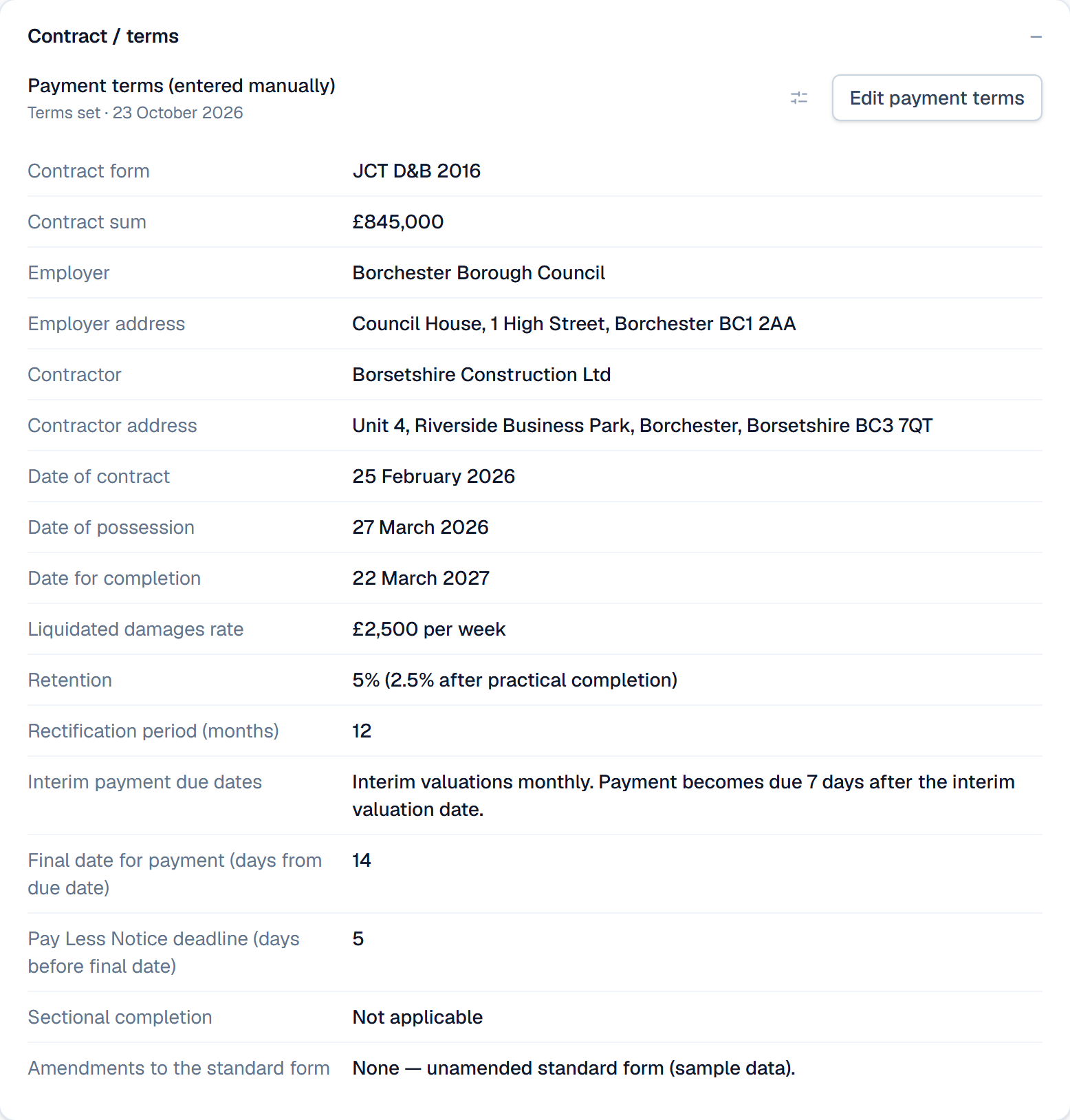
PayCycle suggests the payment terms from the contract you upload, or you type them in. You review, edit and lock each term before it is used.
Where your contract goes
Your project data and uploaded files are stored in Frankfurt (EU). Our application servers, and our sign-in, AI and email providers, are in the United States.
To read a contract, PayCycle sends that document to our AI provider, Anthropic, in the US. Anthropic states that it does not train on commercial API data.
Deleting your account removes your data from the live application immediately.
Notices drafted for you to check and sign
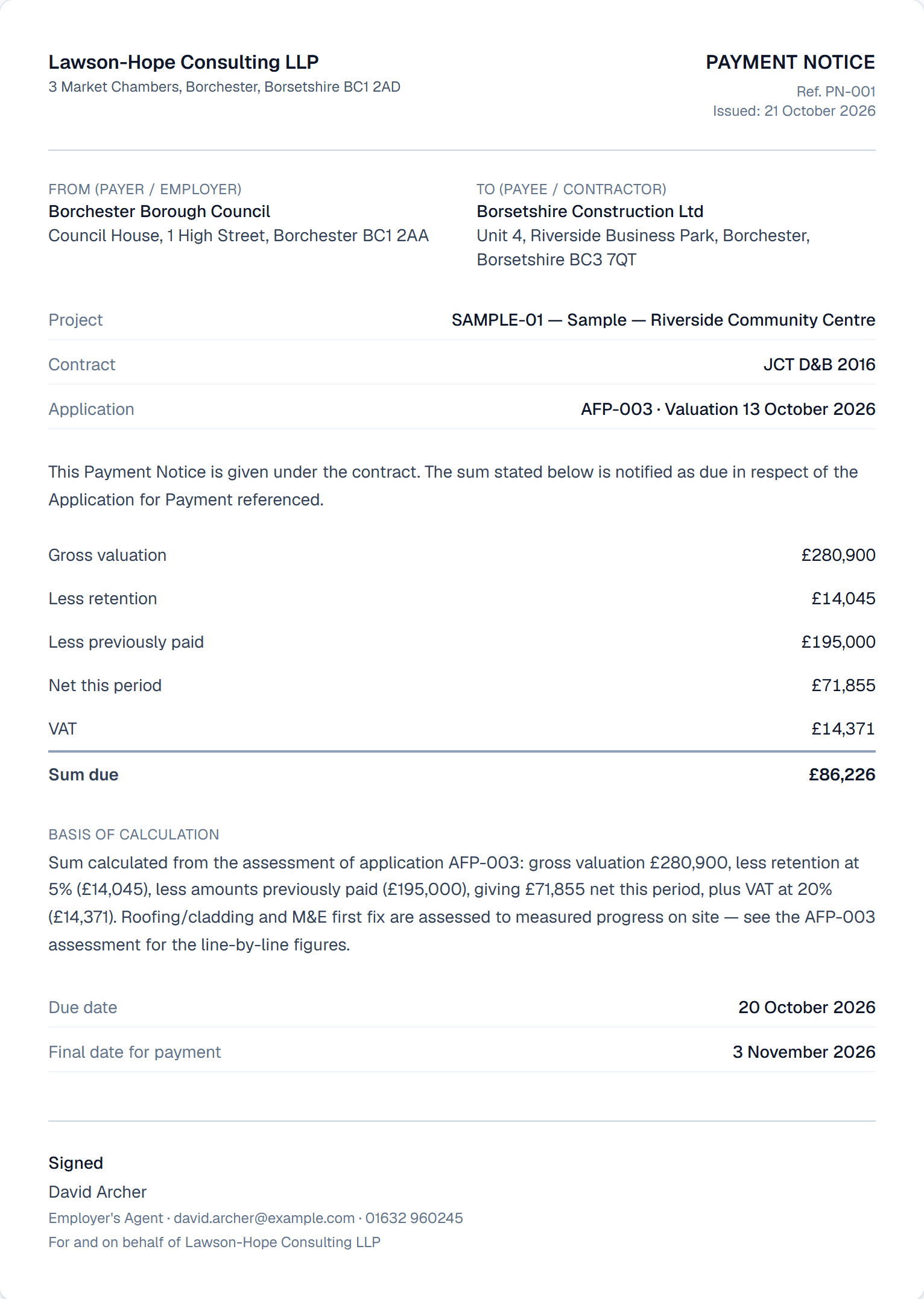
PayCycle drafts the Payment Notice and the Pay Less Notice from your assessment, with the due date and the final date for payment taken from the terms you confirmed. You check, sign and send them. It does not send notices for you.
Each date worked out and kept in view
From the terms you confirm, PayCycle works out the date for each notice and the final date for payment, and reminds you before each one.
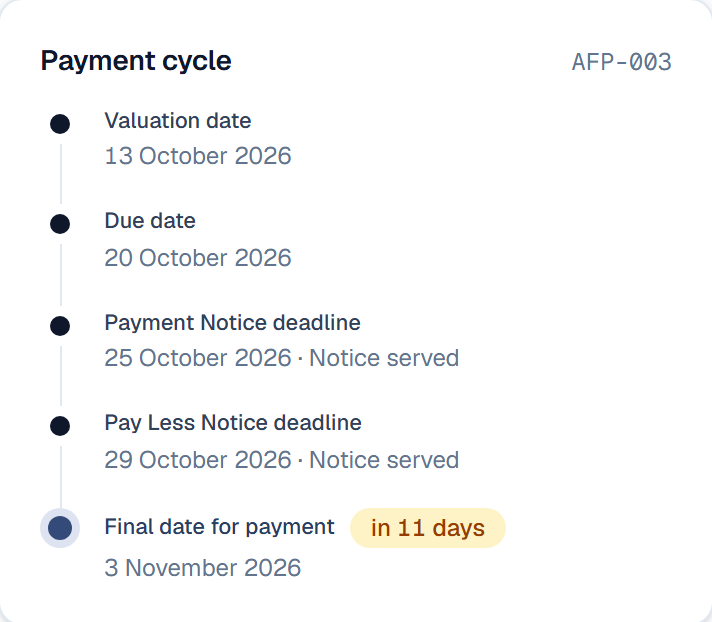
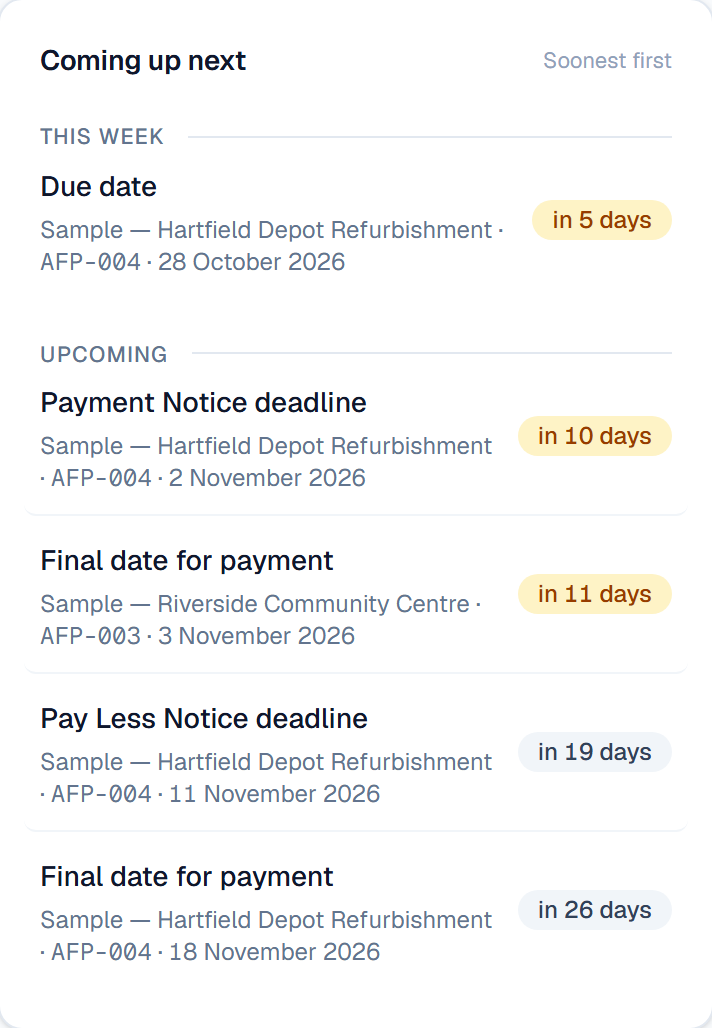
Screenshot from the live demo. Fictional company and project; demo data, not a real project. Captured October 2026.


Who builds PayCycle
Built by Aaron Hallett MRICS, Chartered Quantity Surveyor
He runs PayCycle through Hallett Technology Ltd, where he is the sole director.
- Launched
- 26 July 2026
- Contact
- hello@paycycle.uk
- If PayCycle closes
- You get at least 90 days' notice, and any prepaid time beyond closure is refunded. See section 6 of the Terms.
Who it is for
Main contractors, QSs and commercial managers
Check subcontractor applications against the order, and keep the dates for each notice in view.
Subcontractors
Keep a dated record of what you applied for, what was notified and when.
Accountants and bookkeepers
The Accounting CSV carries the CIS deducted on each invoice. A separate CSV formatted for Xero import is included, and it does not carry CIS.
Free, Solo £39 a month, Practice £149 a month.
The Free plan is £0, with manual entry and no AI. One flat price per plan, monthly or yearly. No fee per application or per notice. Solo includes one user; Practice up to five. UK prices include VAT. Elsewhere, Paddle, our reseller, shows any tax due at checkout.
The same account also holds cost plans, tenders, variations, valuations, cost value reconciliation (CVR) and cashflow.
Common questions
What do I need to start?
A copy of your contract as a PDF and one application for payment. You can also type the payment terms in yourself. If you would rather look around, the live demo needs no account and has AI features switched off.
Where is my data stored?
Your project data and uploaded files are stored in Frankfurt (EU). Our application servers, and our sign-in, AI and email providers, are in the United States. So some processing happens outside the UK and EU, under the transfer safeguards listed in our Privacy Policy. The security page has more.
What does the AI do with my documents?
It reads what you send it and suggests. You review and approve each figure and notice. It does not issue notices or change your records.
For each AI action, the document or figures for that action are sent to our AI provider, Anthropic. Anthropic states that it does not use commercial API inputs or outputs to train its models and does not retain them by default; content flagged by its safety systems may be kept longer. Read its published data-retention policy.
Is this legal advice?
No. PayCycle gives you contract information, drafts and reminders for you to check. You review, sign and send each notice. For advice on a dispute, speak to a construction lawyer.
What does it cost, and what happens when the trial ends?
Free plan: £0. Solo: £39 a month. Practice: £149 a month.
Every paid plan starts with a 30-day free trial. No card up front. If the trial ends without a card, your account drops to the Free plan. Your data is kept and the AI features are off until you subscribe.
How do I get help?
The help guide covers each step, and it is what the Free plan includes. On a paid plan, write to hello@paycycle.uk. Email support: we reply within 2 business days.
Try it on one application for payment.
30-day free trial. No card up front.